

Control the pace of a flow
A camera does not wait for the model. When images arrive faster than a flow can inspect them, they pile up and every result comes later; when one inspection needs two cameras, it has to wait for both. Rosepetal's utility nodes set the pace: «rp-queue» holds a few messages and drops the rest, «rp-rate-limit» lets through one frame every so often by the camera's own clock, and «rp-array-in» with «rp-array-out» join the results of parallel branches. In this guide you try the three on bursts of frames.
What you will learn
- How to keep a queue short so that results stay current
- How to let through one frame every so often, by the camera's time
- How to wait for two branches and join their results
Before you start
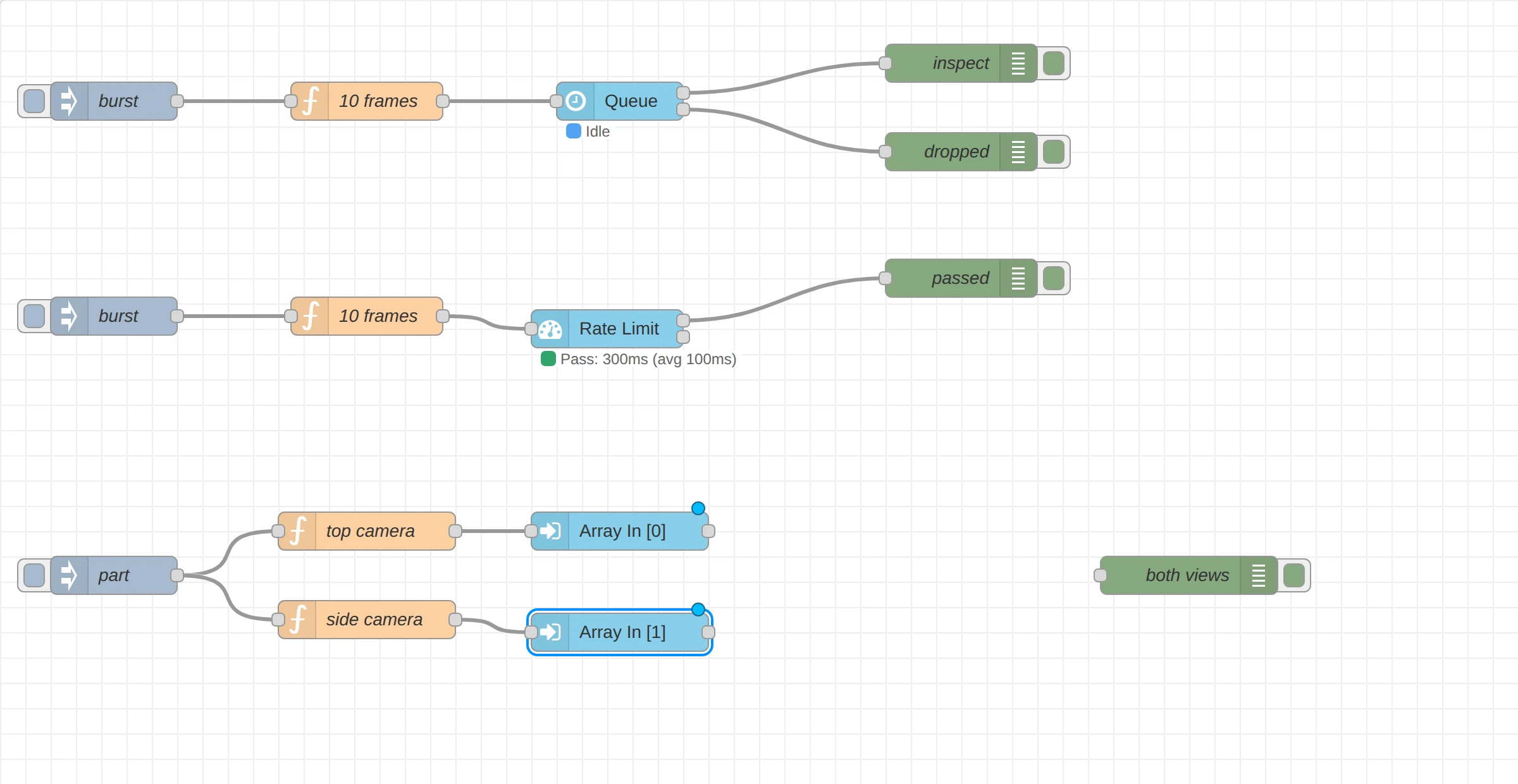
The tab already has three sources. Each «burst» inject node sends ten frames at once through a function node, as a camera at ten frames a second would, with the time each frame was taken in msg.timestamp. The «part» inject node asks a top and a side camera for a picture; the side camera answers a second later. The basics of the editor are in Introduction to Node-RED.
1. Add a queue
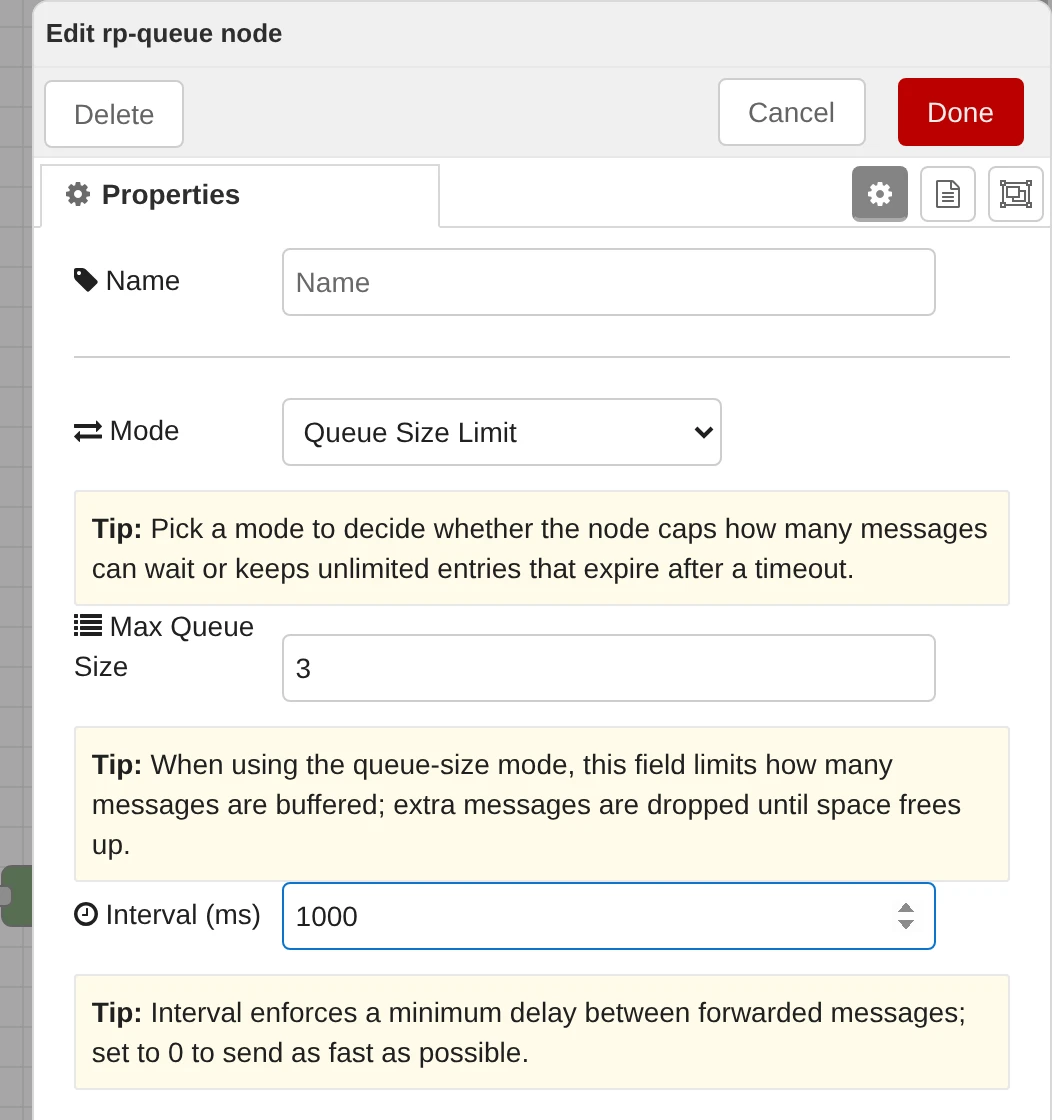
Type rp-queue in «filter nodes» and drag the node after the first «10 frames». Open it. With «Mode» on «Queue Size Limit», set «Max Queue Size» to 3 and «Interval (ms)» to 1000: the node sends one message a second and keeps at most three waiting. On a line, set the interval to the time an inspection takes.
2. Wire what goes on and what is dropped
Click «Done». Wire the first output to the debug node «inspect» and the second to «dropped». A dropped message carries why in msg.meta.queueDropReason: overflow when the queue was full, timeout when it waited too long in «Timeout» mode.

3. Send a burst
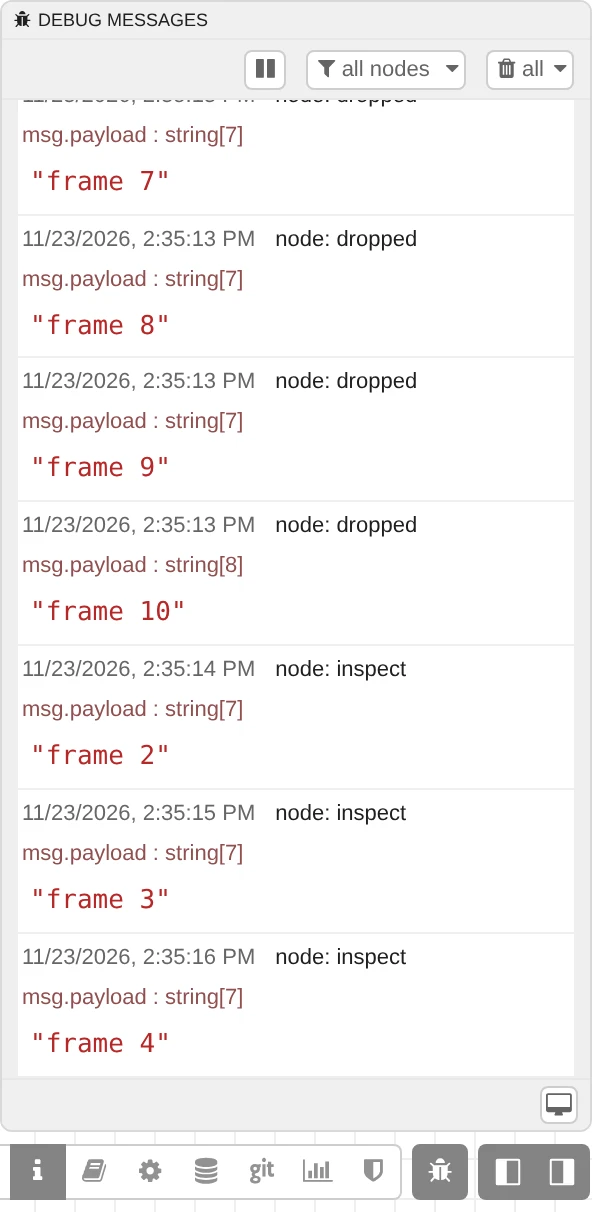
Deploy and press the first «burst» inject node. Frame 1 goes on to «inspect» at once and the queue holds the next three, which follow one a second; the other six find it full and go to «dropped» at once. The inspection works on recent frames instead of falling further and further behind.
4. Let through one frame every so often
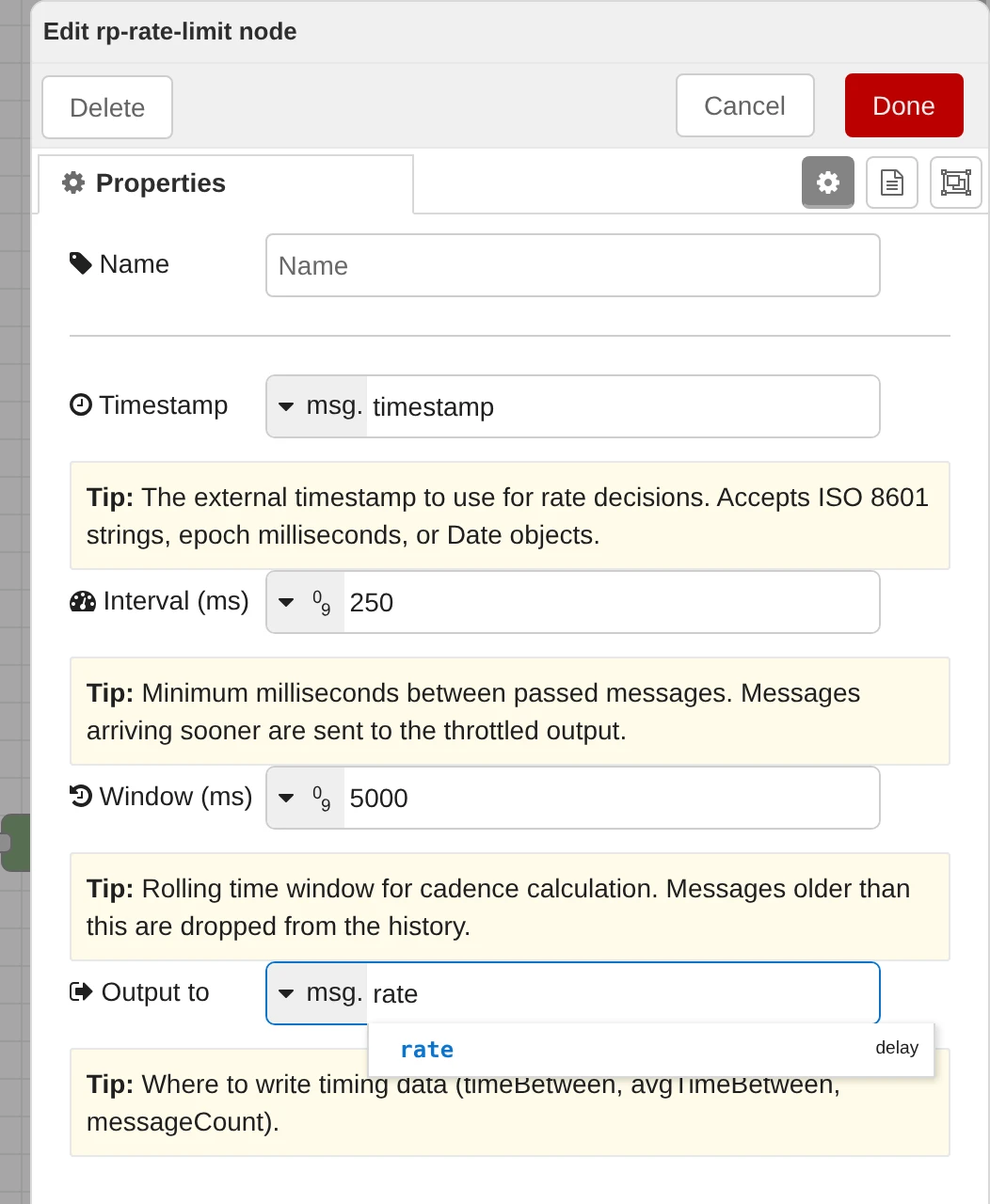
Add an rp-rate-limit node after the second «10 frames» and open it. «Timestamp» is where the time the frame was taken travels, msg.timestamp. «Interval (ms)» is the least time between two frames it lets through: leave 250. The node judges by the camera's clock, not by when the frame reached Node-RED, so a busy controller does not change which frames pass.
5. Try it
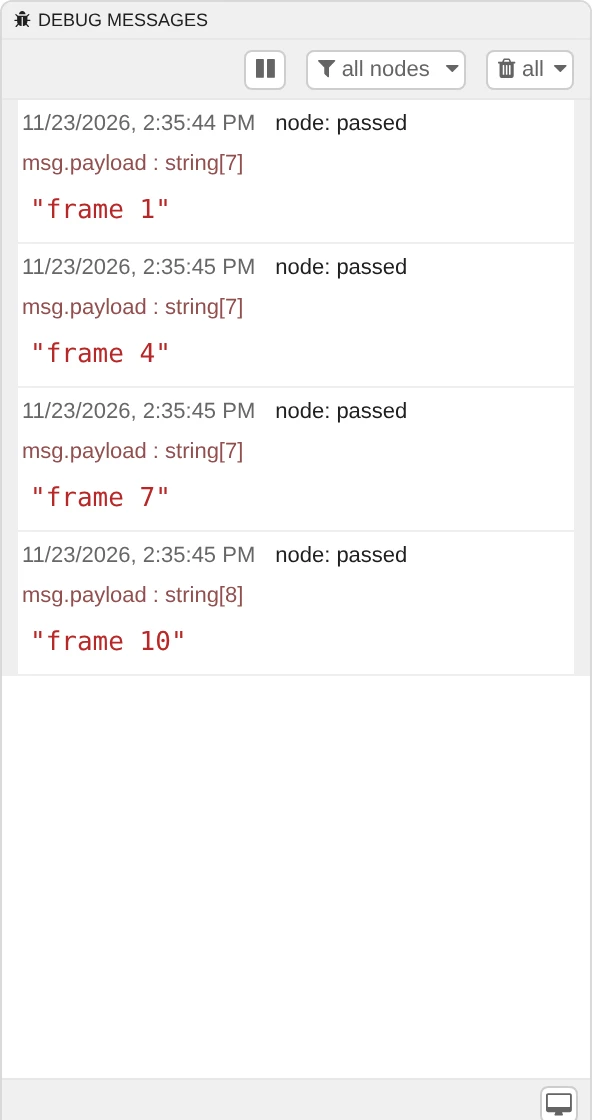
Set «Output to» to msg.rate, click «Done» and wire the first output to «passed». Deploy and press the second «burst». The frames are 100 ms apart, so frames 1, 4, 7 and 10 pass; the others leave by the second output, which here goes nowhere. Each frame carries msg.rate: the time since the last frame that passed and the average over the last five seconds.
6. Mark each branch's place
Add an rp-array-in node after «top camera» and another after «side camera». Open each one and set «Array Position»: 0 for the top camera and 1 for the side camera. Each one takes msg.payload and notes where it goes in the list.
7. Join the two branches
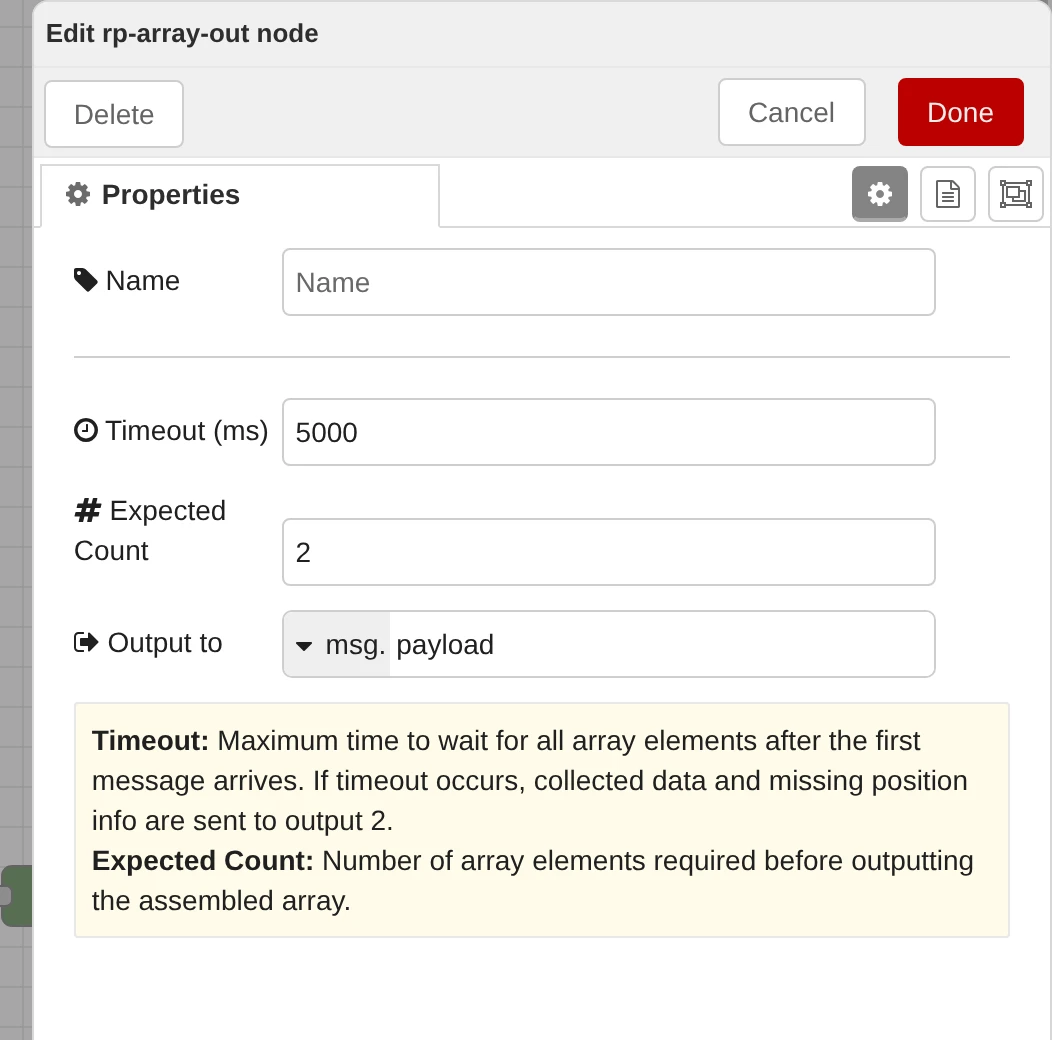
Add an rp-array-out node, wire both rp-array-in nodes to it and its first output to «both views». «Expected Count» is how many branches it waits for, 2; «Timeout (ms)» how long it waits after the first one arrives. If one is missing by then, what arrived leaves by the second output, with the positions that are missing.
8. Inspect a part with both cameras
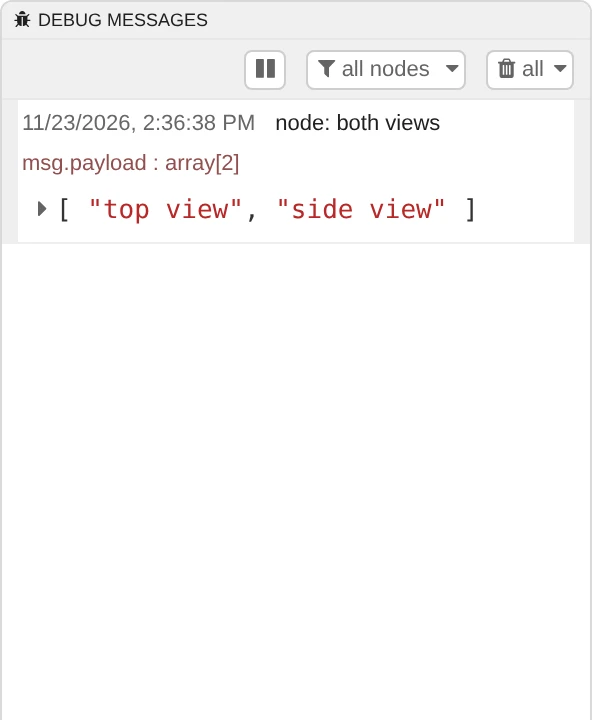
Click «Done», deploy and press «part». The top view arrives at once and waits; when the side view arrives a second later, «both views» receives ["top view", "side view"], always in that order. With images instead of words, the list goes to a node that works on several images at once, such as a mosaic or the inferencer.
Good to know
- Drop old frames instead of a fixed number. In «Timeout» mode,
rp-queuekeeps every message but drops the ones that waited longer than «Timeout (ms)»: no result older than that ever comes out. - Pick one result of a list.
rp-array-selecttakes one or several elements out of a list, by position. - Do not wait for the model. With «Promise» ticked, the inferencer sends the message on at once with the prediction still running, in
msg.promises. Do other work meanwhile, then anrp-promise-readernode waits for every prediction and puts the results back into the message. - Node-RED's own nodes. The delay node limits a rate by the time messages arrive, and the join node puts messages together by count or by topic. Rosepetal's nodes keep the order of the branches and use the camera's time.
Next steps
Recorded on Rosepetal release 1.8.15, Node-RED 5.0.10.